Guru VPN: Fast Secure Proxy
- 4.3
- Rating
- 1.00M
- Installs
- Free
- Price
 Analysis by App-foxy
When I use a VPN, I am usually trying to solve a very ordinary problem: I want a safer connection on public Wi-Fi, a little more privacy while browsing, or a simple way to keep internet access available when a network feels unreliable. Guru VPN: Secure VPN Access approaches that need from a productivity angle. It is a free utility from TapGeneration, and its main appeal is that it puts VPN and proxy access in a straightforward mobile app rather than asking me to manage complicated network settings.
That simplicity matters, but it also changes how I judge the app. A VPN is not something I want to open repeatedly without a reason. I want it to fit into a repeatable routine: check the connection, choose the appropriate protection, use the network, and disconnect when I no longer need it. In my experience, Guru VPN works best when treated as one small part of a sensible digital-workflow system rather than as a magic shield for every online risk.
Building a practical connection routine around Guru VPN
I find it useful to treat a VPN session as a small, deliberate part of whatever I am doing online, rather than leaving it on without a plan. Before connecting, I decide which task needs the extra layer and what I will do if the service behaves differently afterward. That keeps the routine easy to repeat and makes it clearer when another connection option would suit me better.
You May Also Like

 Blood Strike: 2.5 Anniversary
Blood Strike’s Loadouts Turn Every Drop Into a Tactical Gamble
A close look at Blood Strike’s custom loadouts: how fast access to signature weapons reshapes its battle royale rhythm, rewards preparation, and narrows the gap between fights.

 Pandora - Music & Podcasts
Pandora’s Music Is Easy to Start, but Harder to Recover
Pandora’s strength is its low-effort path from a seed to a station. Its weak spot is how much confidence it asks you to place in connection, setup, and quiet recovery.

 8 Ball Pool
 Is Built on Rivalries, Rematches, and Routine
A close look at the rivalries, rematches, shared routines, and unanswered safety questions that turn a quick pool match into a persistent mobile community.

 Samsung Music
’s Quiet Strength Is Playing What You Already Own
Its reach comes less from spectacle than from dependable access to a personal library. That simplicity is both the app’s strongest retention engine and its ceiling.

 AccuWeather: Weather Radar
AccuWeather Review: A Quick, Clear Forecast for Everyday Decisions
For everyday plans, the best forecast is the one you can understand quickly. AccuWeather makes rain timing, radar, and local conditions easy to act on, with a few trade-offs.

 Hill Climb Racing
Why Hill Climb Racing Still Turns Crashes Into One More Run
A tiny car, a bumpy hill and one more upgrade: Hill Climb Racing keeps resurfacing because its simple chaos makes every near-miss feel personal.
More From Our News Desk



Start with the situation, not the button
Before opening the app, I first ask what problem I am trying to solve. If I am sitting in a café and need to check a work dashboard, send a document, or sign in to an account, a VPN can be a sensible first step. If I am on my own trusted home network and simply want the fastest possible connection for a video call, adding a VPN may introduce an unnecessary detour. That small decision prevents me from using privacy tools mechanically.
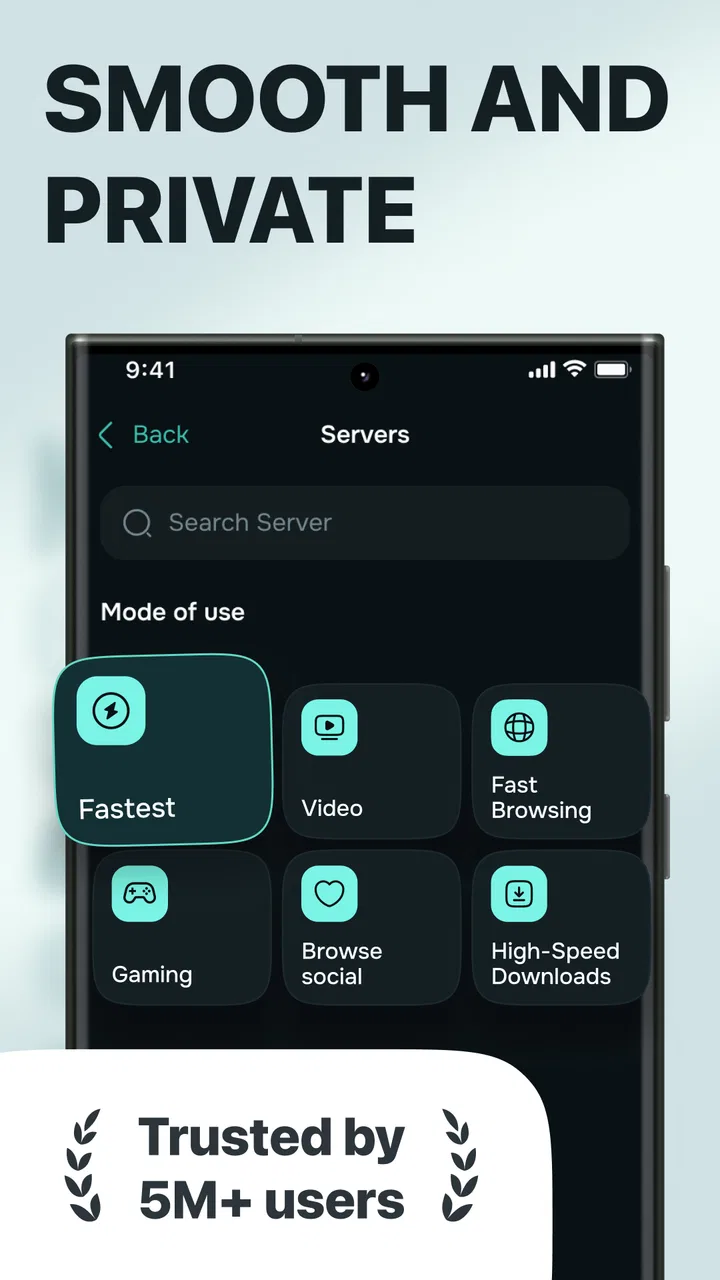
This is where Guru VPN: Secure VPN Access feels approachable. Its purpose is clear, and the combination of VPN and proxy tools gives me more than one way to think about access. I would not treat those options as interchangeable, though. A VPN is generally the choice I would consider for protecting broader device traffic, while a proxy may be useful in a narrower browsing or access workflow. The right choice depends on what I need to protect and which app is carrying the traffic.
My preferred routine is to open the app before beginning a sensitive task, establish the connection, and then perform the task without constantly switching between networks. That is more reliable than remembering only after I have already entered account details. Once the task is complete, I check whether I still need the protected connection. Leaving any network tool active out of habit can affect speed, battery use, or access to services that behave differently when a VPN is involved.
The most useful habit is deciding when protection is necessary before the session begins. This sounds simple, but it is more valuable than tapping a connection control at random. Guru VPN is easier to live with when it becomes a trigger in a routine: public network, sensitive activity, connect; trusted network, ordinary activity, reassess.
Capture the right information before connecting
One practical improvement is to make a quick mental note of the original network condition. If a page is already slow before I connect, I do not want to blame the VPN for every delay afterward. I check whether normal browsing works, whether the network requires a sign-in page, and whether the task is urgent. This gives me a useful comparison point if the connection becomes unstable.
I also decide what must continue working. A work chat, cloud document, banking session, or video meeting may react differently to a changed connection route. I avoid starting several unrelated tasks immediately after connecting. Instead, I test the one thing I actually need first. For example, if I am about to upload a file, I open the destination, confirm that the session works, and only then begin the upload. That reduces the chance of losing time halfway through a task.
Guru VPN is free to install and use, which lowers the barrier for trying this workflow. The app is rated for Everyone, and its current version is 2.1.2 with a minimum operating-system requirement of Android 8.0. Those details make it accessible to many Android users, although compatibility alone does not guarantee that every phone, network, or service will behave identically.
Organize access around repeatable moments
I find VPN apps most useful when connected to predictable moments in the day. My own examples would be joining an unfamiliar Wi-Fi network, working from a hotel, checking a personal account on a shared connection, or using a network that seems to filter ordinary services. These are better triggers than a vague goal such as “stay private all the time,” because they tell me exactly when to open the app.
A realistic scenario is working from a café between appointments. I connect to the café Wi-Fi, wait until the network itself is ready, and then open Guru VPN before accessing a work portal. I test the portal with a low-risk action first, such as loading a dashboard, rather than immediately submitting a form. If everything works, I continue. If the portal rejects the connection or becomes too slow, I know that the VPN is part of the situation and can decide whether the task can wait for a different network.
This approach also prevents a common mistake: treating a VPN as permission to ignore normal security habits. I still use strong, unique passwords, keep the phone updated, avoid suspicious links, and pay attention to the address of the site I am visiting. A VPN can improve the privacy of a connection, but it does not make phishing pages trustworthy or turn an unsafe download into a safe one.
The app’s scale suggests that it has reached a broad audience, with over a million installs and an average rating of 4.4 from around 4,900 ratings. I see that as encouraging evidence that the basic experience is approachable, not as proof that it will be perfect for every network. VPN performance is highly dependent on location, congestion, the service being accessed, and the phone itself.
Make the routine light enough to repeat
A privacy routine that takes too much effort eventually gets skipped. I would keep my Guru VPN workflow short: identify the network, connect before sensitive activity, test the required service, and disconnect when finished. I would not build a complicated checklist around it unless I had a specific work or travel requirement.
For frequent travelers, it can help to group tasks by connection type. On a public network, I might handle low-risk reading first, then connect before account work. On a trusted home network, I might use the VPN only for a particular privacy-sensitive session. This avoids the all-or-nothing thinking that makes some people either leave a VPN running constantly or never use one at all.
The presence of in-app purchases ranging from $4.99 to $34.99 per item is worth considering before settling into a long-term routine. I would inspect the purchase screen carefully and decide whether the free experience meets my needs before paying for anything. A free app is not automatically a cost-free workflow if optional upgrades become necessary for the way I intend to use it.
Where the workflow can fail
The first failure point is speed. Encryption and rerouting can add delay, and some services may load more slowly or behave differently after the connection changes. If I am trying to join a time-sensitive meeting, I would connect early enough to test it rather than waiting until the last minute. For ordinary browsing, a small slowdown may be acceptable; for live calls, large uploads, or competitive online activity, it may not be.
The second failure point is service compatibility. Some websites and apps react cautiously to VPN or proxy traffic. A login may require an extra verification step, a streaming catalog may change, or a work system may refuse the connection altogether. That does not automatically mean Guru VPN is broken. It means the destination has its own rules. I would keep a backup plan, such as postponing the task or moving to a trusted network, instead of repeatedly reconnecting without understanding the problem.
The third failure point is forgetting the state of the connection. If I connect for one task and then continue using the phone for hours, I may not notice that the VPN remains active. That can be useful for privacy, but it can also create confusion when a local service, payment page, or workplace tool stops behaving normally. I make a habit of checking the connection after finishing the original task.
Another limitation is that an app summary promising fast and private access should not be read as a guarantee of identical speed or privacy in every circumstance. I judge the experience by the actual network I am using and by how clearly the app communicates its connection state. I also avoid assuming that every proxy mode offers the same protection as a full VPN connection. If the task involves sensitive information, I choose the option that matches the broader protection I need rather than selecting the quickest-looking route.
How it compares with ordinary alternatives
The usual alternative is simply using the network as it is. That is faster and less complicated, but it gives me fewer privacy controls on unfamiliar connections. Another alternative is a browser-based proxy or a VPN built into a security suite. Those may be better for someone who already wants an integrated security package, parental controls, password tools, or detailed device management.
Guru VPN’s advantage is focus. I can approach it as a dedicated access tool instead of adopting a much larger security platform. That makes sense for a person who wants a simple mobile VPN workflow and does not need a broad collection of extras. The trade-off is that I should not expect it to replace every security practice or every specialized VPN requirement.
For highly technical users, a service with extensive configuration, transparent server controls, or advanced connection diagnostics may be a better fit. For someone who wants an enterprise-managed connection for work, the company’s approved solution should take priority. Guru VPN is more naturally suited to personal, everyday use where the main goal is quick access to a VPN or proxy tool without a steep learning curve.
Questions I would answer before installing it
Is it suitable for public Wi-Fi? I think it is a reasonable tool to consider for that situation, especially before browsing accounts or handling work information. I would still verify that the connection is active and remember that the VPN does not protect me from scams, weak passwords, or malicious files.
Will it work for every app? I would not assume that. Some apps may not cooperate with VPN or proxy traffic, and some services may trigger additional checks. My practical advice is to test the specific service before an important appointment, payment, upload, or meeting.
Should I leave it running all day? That depends on the network and the task. I prefer a deliberate session-based routine because it makes troubleshooting easier. If I need continuous protection while moving between networks, keeping it active may be sensible, but I would still check it when a local service behaves unexpectedly.
Is the free version enough? It may be enough for someone who wants occasional VPN access and is comfortable evaluating the available options inside the app. Users with heavier needs should review the in-app purchase choices, which are offered from $4.99 to $34.99 per item, before committing to a regular setup.
Who should skip it? I would look elsewhere if I needed a business-managed VPN, highly detailed technical controls, guaranteed access to a particular service, or a complete security suite. I would also skip installing any VPN until I had read its current permissions and privacy information myself. Trust matters more than convenience when an app handles network traffic.
Who should adopt this app
Guru VPN makes the most sense for Android users who want an approachable productivity utility for occasional privacy-conscious browsing, travel, public Wi-Fi, or unreliable networks. It is especially practical for people who do not want to learn complicated networking concepts and who can accept that a VPN sometimes requires testing and compromise.
I would recommend it to a friend with one condition: use it as part of a clear routine, not as a replacement for general online safety. Connect before the sensitive task, confirm that the needed service works, keep expectations realistic about speed and compatibility, and disconnect or reassess when the task ends. That workflow extracts the useful part of the app without turning it into a permanent answer to every internet problem.
TapGeneration has positioned this Productivity app as a simple access tool, and the free entry point makes experimentation easy. With its Everyone age rating, Android 8.0 minimum, and current version 2.1.2, it is accessible to a wide range of users. The optional purchases mean I would still make a deliberate choice before upgrading.
My final view is positive but measured. Guru VPN is convenient when I need a quick, repeatable way to add a VPN or proxy step to mobile work, and its broad adoption and 4.4 average suggest that many users find the basic experience useful. I would not choose it for advanced corporate networking or as my only line of defense. For everyday Android users who want a straightforward tool for public networks and occasional private access, however, Guru VPN: Secure VPN Access can earn a place in a practical, sustainable digital routine.
FAQs for Guru VPN: Fast Secure Proxy
01What is Guru VPN and how does it work?
Guru VPN is a virtual private network application that provides secure and private internet access by encrypting your connection. It works by routing your traffic through remote servers, masking your IP address, and ensuring your online activities remain anonymous. This enhances privacy and security, particularly on public Wi-Fi networks.
02Is Guru VPN free to use, or does it require a subscription?
Guru VPN offers both free and premium versions. The free version provides basic VPN services with some limitations on data and server locations. For enhanced features, such as faster speeds and a wider selection of servers, users can subscribe to the premium version via a monthly or annual plan.
03Which platforms does Guru VPN support?
Guru VPN is available for both Android and iOS devices, ensuring broad compatibility with smartphones and tablets. The app can be easily downloaded from the Google Play Store for Android users and the Apple App Store for iOS users, making it accessible to a wide audience.
04How does Guru VPN ensure user privacy and security?
Guru VPN employs advanced encryption protocols to protect user data and prevent unauthorized access. The app ensures that all data transmitted through its servers is encrypted, safeguarding against hackers and eavesdroppers, especially on public networks. Additionally, the app maintains a strict no-logs policy, ensuring user activities are not recorded.
05Can Guru VPN bypass geo-restrictions for streaming services?
Yes, Guru VPN can help bypass geo-restrictions by allowing users to connect to servers in different countries. This can enable access to content that might be restricted in your region, such as streaming services. However, the effectiveness can vary depending on the specific service and its VPN detection capabilities.
Pros
- Fast and reliable connection speeds.
- User-friendly interface and setup.
- No logs policy ensures privacy.
- Wide range of server locations.
- Works with multiple devices.
Cons
- Limited free version features.
- Occasional connection drops.
- Ads in the free version.
- Customer support can be slow.
- Not all servers support streaming.

Guru VPN: Fast Secure Proxy
Gallery